 PPPP
PPPPEdit every photo right in your browser
PPPP brings a desktop-class editing experience to the web: cropping, filters, stickers, frames, drawing and text. Open the page to start, then export your result in one click.
Supports JPG, PNG, WebP, GIF, SVG and more
Every tool you need, in one place
From basic cropping and color work to stickers, text and layer management — the whole workflow lives on a single page.
Filters & Color
Built-in filter presets plus fine control over brightness, contrast, saturation and temperature.
Stickers & Frames
Emoji, doodle, traffic and landmark sticker packs, plus a range of frame styles you can layer on.
Drawing & Text
Free brush, shapes and multi-font text tools with color, stroke and shadow settings.
Crop & Transform
Free or fixed-ratio cropping with rotate, flip and canvas resizing.
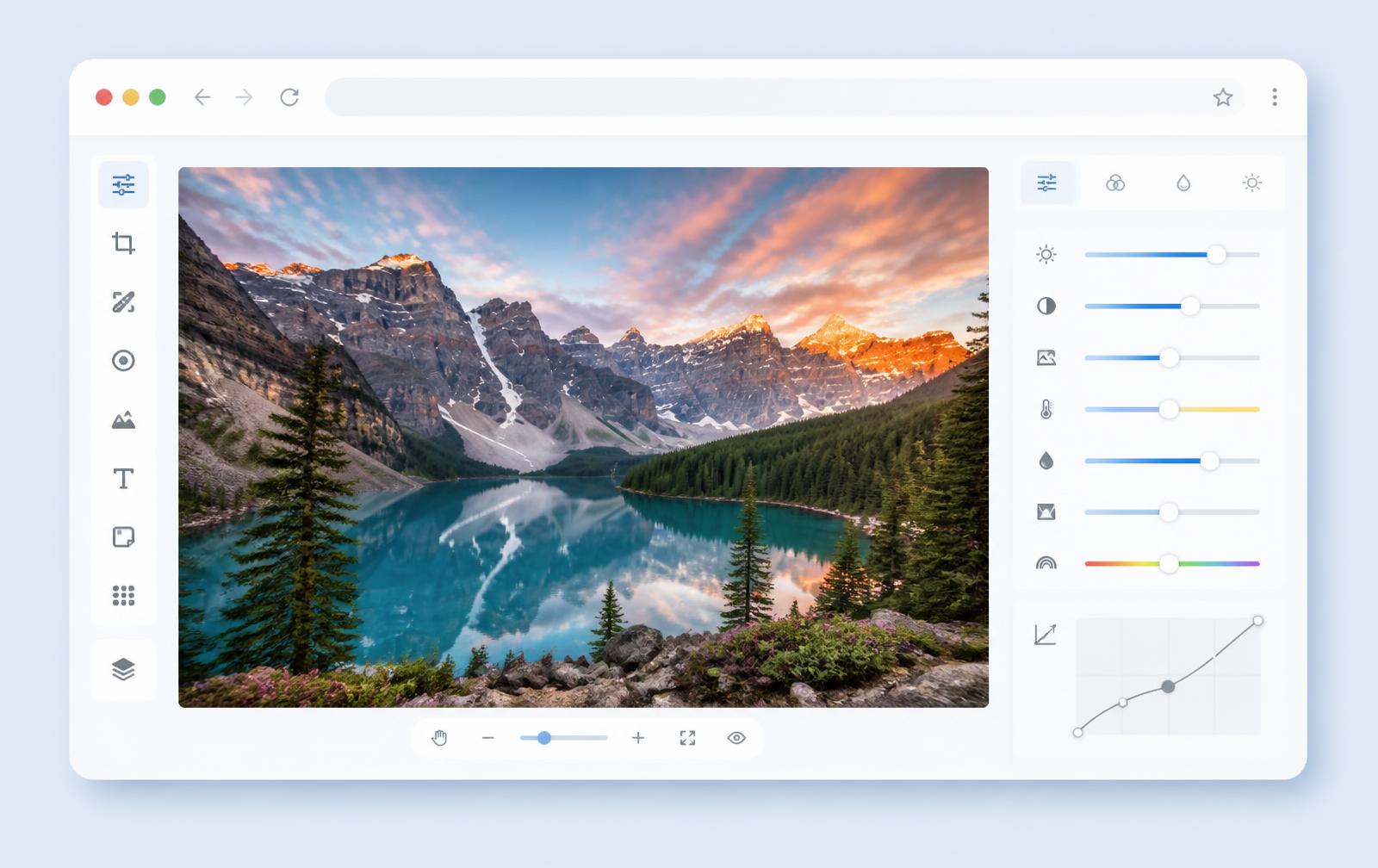
A clear, full-featured interface
A classic layout — toolbar on the left, properties on the right, canvas in the middle — so newcomers find what they need fast. Every tool previews live, exactly as it will export.
- Toolbar: filters, crop, draw, text, stickers, frames
- Properties panel: live parameter and color control
- Canvas: zoom, pan and object selection
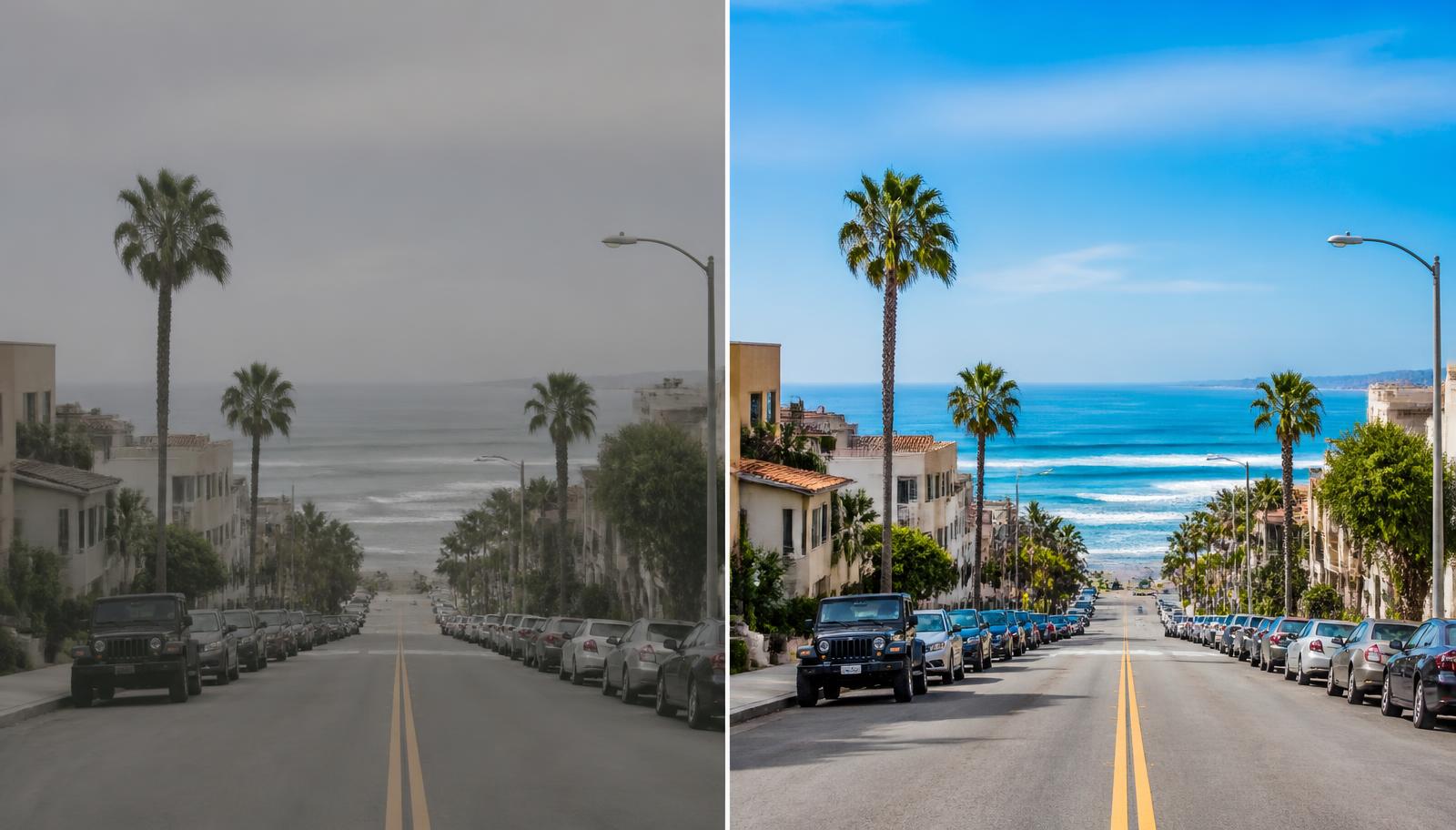
From ordinary to standout in a few steps
Import the original, then crop, color-grade and layer elements to reach a result that is ready to publish or keep.
Three steps to a finished edit
Import an image
Click “Open image” to pick a local file, or try the sample photo right away.
Edit freely
Crop the composition, apply filters, then layer text, stickers and brush strokes.
Export in one click
Hit “Download”, and save the result in the original format of your upload.
Built for these jobs
Social media graphics
Crop to square or vertical ratios, add headlines and stickers, and publish a ready-to-post image in minutes.
E-commerce product shots
Standardize canvas size and background, tune brightness and contrast so product details stay crisp and consistent.
Docs & screenshot annotation
Highlight key areas with brush strokes, arrows and text, and mask sensitive information before sharing.
Personal photo touch-ups
Apply a filter, add a frame and a few stickers, and turn a casual snapshot into something worth keeping.
Why it is safe to use
Never uploaded
Images are read into local browser memory and processed there — no backend call involved.
No account needed
Just open the page and start editing. We collect no email, phone number or personal data.
Cleared on close
Close or refresh the tab and every edit and image buffer is released with it.
Frequently asked questions
- Do I need to pay or sign up to use PPPP?
- No. Every editing feature is available the moment you open the page — no account, no plugin, no install.
- What format is the exported image?
- By default it matches the format you imported: JPG in, JPG out; PNG in, PNG out. You can also pick PNG, JPEG or WebP explicitly in the export menu.
- Are my images uploaded anywhere?
- No. All editing happens locally in your browser, and your images never leave your device.